Fort Payne City Schools

Providing child-centered learning so every student may pursue any dream

📅 26-27 Returning Student Enrollment - Need help with re-enrollment? Follow the steps below or schedule an in-person appointment

Posted Date: 05/07/26 (12:35 PM)


26-27 Returning Student Enrollment Assistance
Need help with enrollment? Follow the steps below or schedule an in-person appointment

1. Troubleshooting
Login Issues:
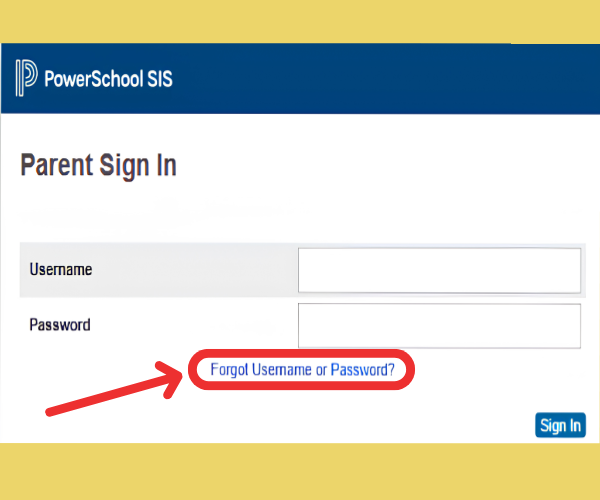
Use the Forgot Username/Password button on the PowerSchool Parent Portal. Instructions will be sent to your registered email.
PowerSchool SIS parent sign-in page with fields for username and password.
Common Issues:
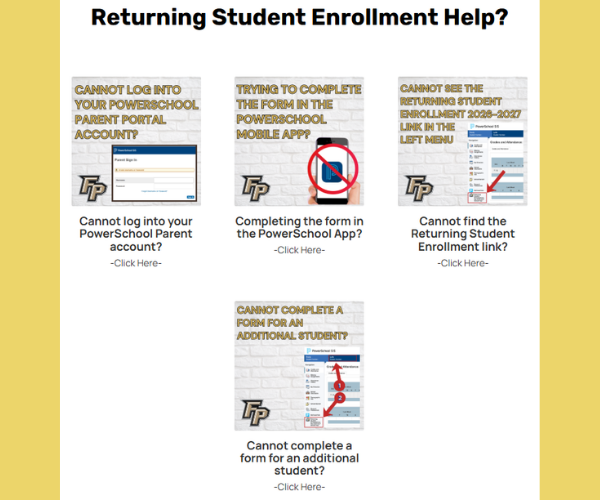
Check for common solutions in the Returning Student Help Webpage on our FPCS district website.
A graphic titled 'Returning Student Enrollment Help?' displays four common issues with solutions.

2. Schedule an Appointment (held at FPHS)
If you still need assistance, please sign up for an appointment:

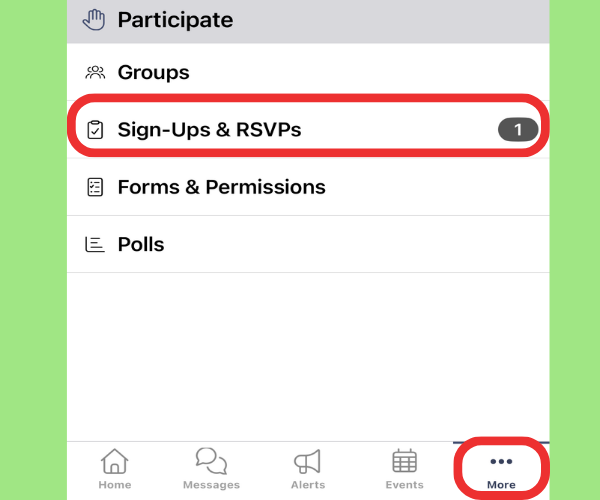
A mobile app screen shows a 'Participate' menu with options like 'Groups', 'Sign-Ups & RSVPs', 'Forms & Permissions', and 'Polls'.
Mobile App
1. Tap More
2. Tap Sign-Ups & RSVPs under Participate
3. Tap 26-27 Returning Student Enrollment Assistance 
4. Tap the available time slot
5. Tap Save (top right)
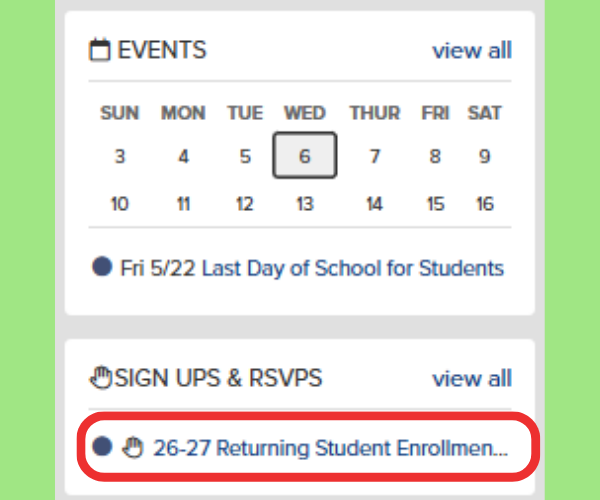
A screenshot of Sign Ups & RSVPs in ParentSquare
Website
1. On the ParentSquare Home page
2. Find the SIGN UPS & RSVPs widget on the right of screen and select 26-27 Returning Student Enrollment Assistance
2. Click  Sign Up next to a time slot
3. Tap Submit